

coverXP 1.65
CoverXP is an application for printing your CD covers
Program info
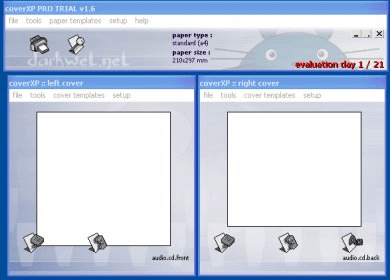
CoverXP is an application for printing your CD covers. I had been struggling with Corel to print my covers for a long time before I found one of the earliest versions of this program. CoverXP is so easy to use that I almost feel bad using it. Even a two-year old can use this. All you need to do is select your cover files and select a template for them. The available templates allow you to print either a Front or Back cover or both on the same page. The best thing about the application is that it fits your cover to the standard size of a CD cover. So if your image file is too big, it will be reduced in size to fit the screen, and so on. Now, you can also print the CD surface if you have the right equipment. That is a must for people that have to print a lot of discs and make them look professional. CoverXP is extremely stable and communicates greatly with the installed printers. It also includes certain graphics editing tools that you can use to retouch your pictures. The latest version is 1.65. This review focuses on CoverXP 1.6. There haven't been many changes, though. Most of them are stability fixes and small bug solutions.
Pros
- Easy to use
- Great stability
- Many options
Cons
- None
Details
Extensions

No information available
The data will be available later.Old versions

No information available
The data will be available later.


Comments